

Captures, archives and publishing
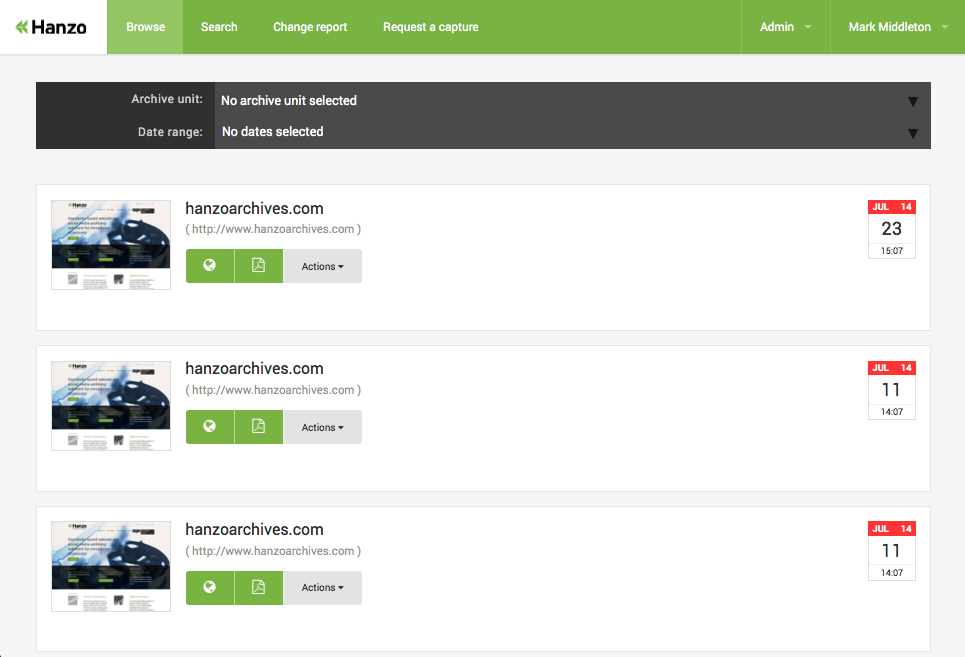
I built the captures list and archive pages, with each crawl's and export's progress, percent complete and time remaining, and controls to restart or stop a crawl. Crawls and exports could be published or unpublished as drafts, and customers were emailed as soon as a draft went live. Browsing captures got a date picker with quick ranges, thumbnails, and a PDF of any capture.

Change Detection
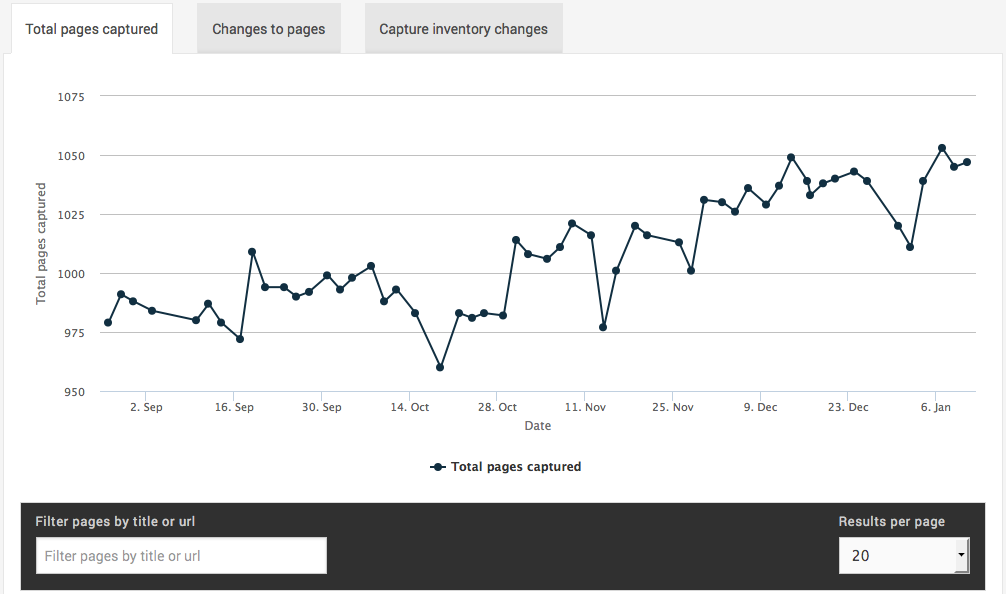
A key market for Hanzo is litigation, where law firms need to able to prove what was or wasn't said by a company or individual at any point in time. A daily capture is a good way to capture this data, but identifying changes would be a long and manual process.
The change detection feature was born out of an R&D project I lead for Hanzo where we'd collect various metrics and try to identify patterns or changes between them. I wrote an initial POC for this mostly using JavaScript and processing a sample of WARCs where we knew there were changes over time.
The key takeaways from the exercise were that we could get quite a long way with word counts, hashing and page counts; while there'd still be a lot of noise, which tends to be the norm in web capture, we could demonstrably detect changes between captures, enough so that it'd be easier for the end-user to find what they were looking for.
Diff Tool
After the change detection project we were able to identify changes between captures, but we needed to be able to display that to the end user. The initial brief was to perform image differentials, which I did try, but had pretty low quality results.
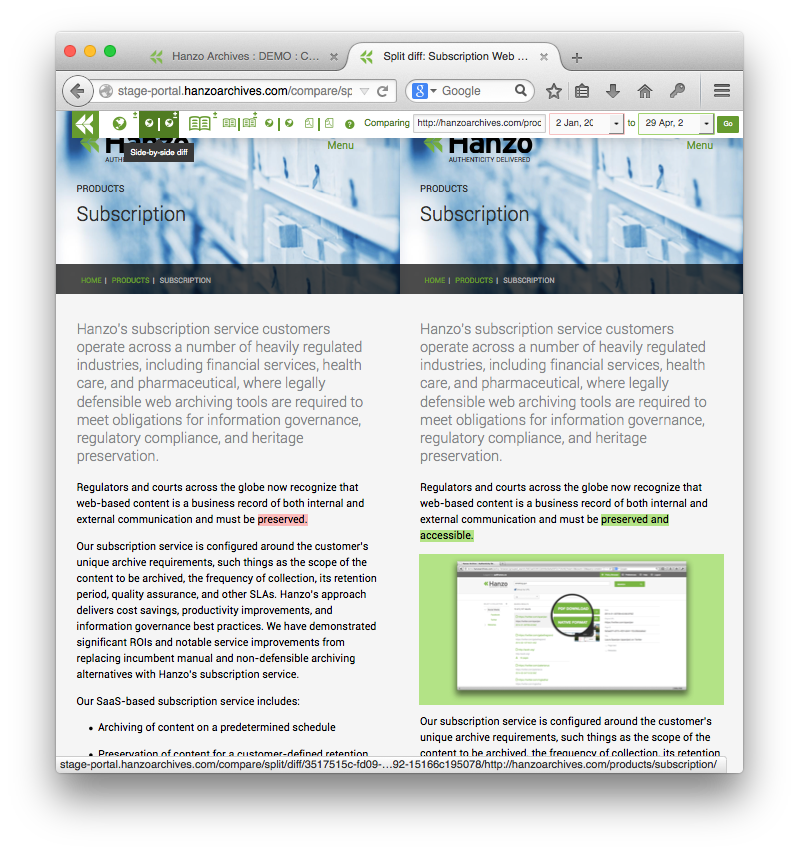
Hanzo already had playback tech that made replaying a capture possible both via URL rewriting and via their custom browser with high precision, streaming the data from S3; it was faster than you'd think, real fast actually. I decided to build out the compare tool by streaming this data through htmldiff before serving it to the user, allowing me to offer up both split and unified differentials. The result was really cool, and working in more cases than you'd think, basically everywhere except certain JavaScript heavy pages like social media would produce a useful differential.
Every way to compare
Beyond split and unified diffs, compare grew side-by-side live playback of both captures, side-by-side PDFs, and readability diffs that compare just the text, which cut through the noise on busy pages. I also tried diffing PDFs and images, and dropped both when they weren't good enough.


Search
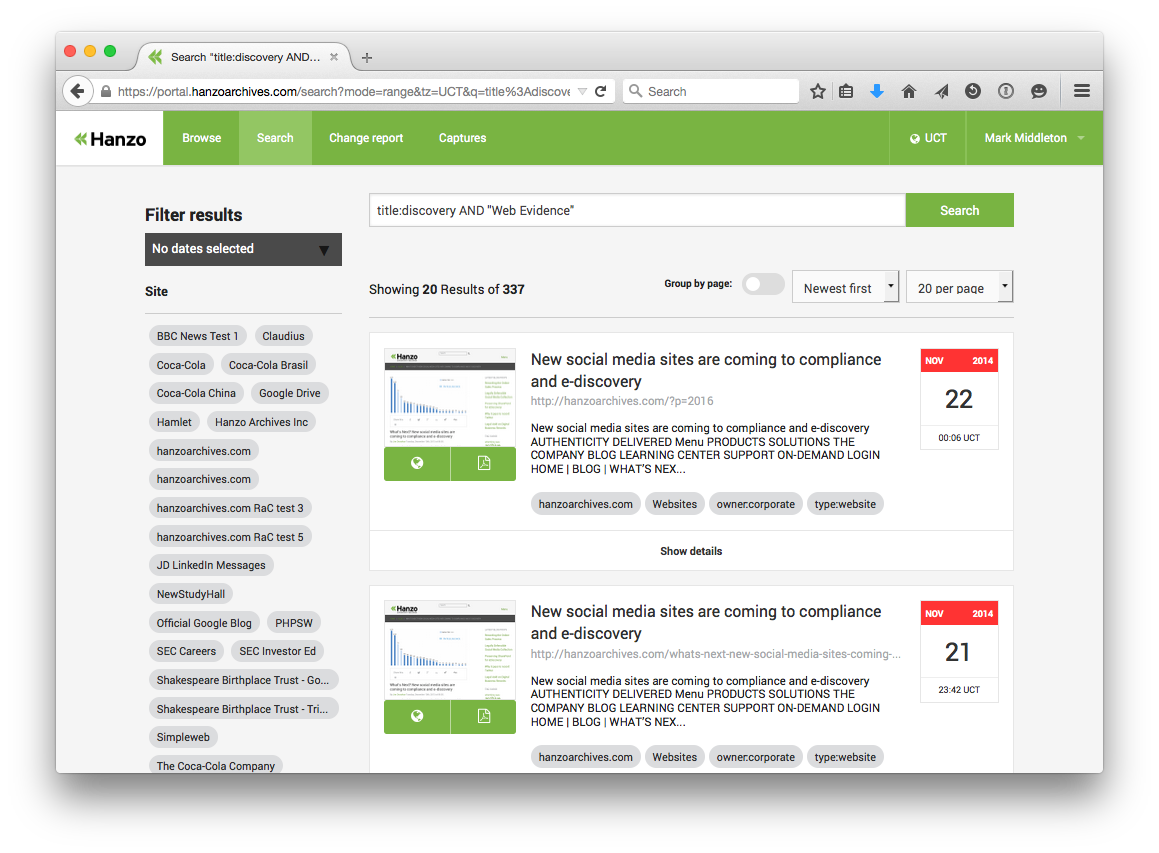
Hanzo populate a Solr index as part of their crawl strategy, we integrated this in a way that would allow users to search across time with pages grouped by URL and ungrouped. Text extraction and tagging meant that finding the captured content you're looking for worked fairly well.
Request a capture
Web archiving is complicated to say the least; Hanzo have a whole team of crawl engineers who specialise in the art of performing a successful web capture, there's lots of knobs and levers which for the most part lived in command line arguments until the web application was born.
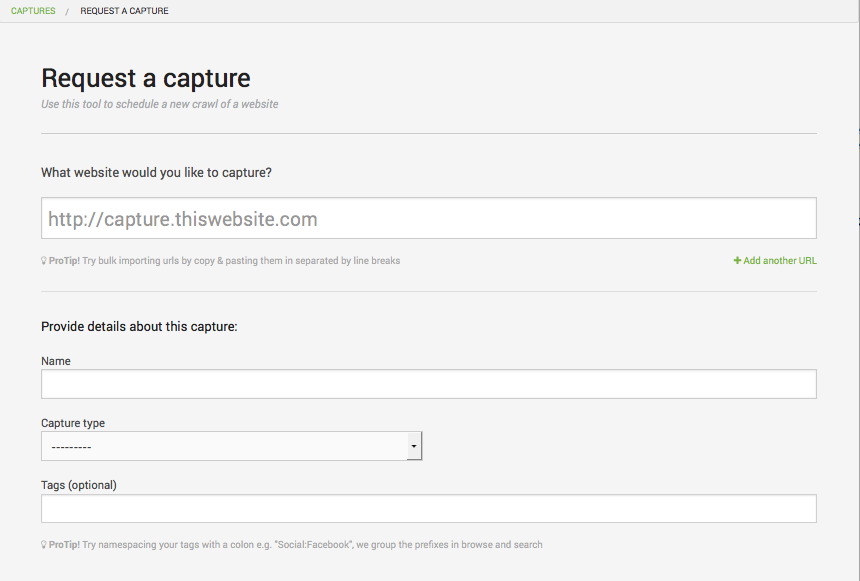
Request a capture is a project Hanzo drafted to put these powers in the hands of their end users. Working closely with their CTO and Development Manager I helped them crystallise the options that were available and how we'd present them to end-users in a way that they'd understand.
The result was a seemingly simple form with a lot of power. Users specify the capture type, be that a standard website, or a Facebook or Twitter page, and that would govern which crawl driver is used, and also be able to supply settings for how many hops to go off-domain, or whether to include or exclude certain URLs.
Playback, behind the portal
Captures play back through Hanzo's access library. I wrote the middleware that proxies playback onsite and offsite, ordered so the cross-domain session is in place before sign-in and access is checked after, along with its tests, and turned the rewrite tool on in production. PDFs were turned into images for thumbnails, and exports could be downloaded straight from disk or S3.
Teams, permissions and LDAP
Customers in regulated industries need to control who sees what. I built team-based permissions on every object, invites, and impersonation so staff could see exactly what a customer saw. For on-premise customers I added LDAP sign-in with several servers per organization and failover between them, and a directory search on the invite form, tested against FreeIPA.
An audit trail
In eDiscovery, who looked at what matters too. An activity log recorded what everyone did, down to each playback, with a CSV export, and I tuned its queries to halve what each page ran.
An API, and the tools around it
A REST API on Django REST Framework, with teams, attachments, settings and crawler endpoints, GitHub-style pagination, and interactive docs generated from the code
A crawler plugin editor, with the settings that cascade into Request a capture
The on-premise build, packaged as a release with its database, and nothing calling home
Support tickets synced both ways between JIRA and Zendesk, staff-only comments included
Background tasks, a system stats page, and the Capistrano and Gulp builds

